Articles
AI security
- How to protect AI agents: isolation, memory, guardrails
- Can prompt injection come through audio? We tested 11 transcribers
- AI Firewall for MCP: check what your agent reads, on any model
- Zabio AI Firewall: prompt injection protection on every call, free
AI costs
- Which OpenAI models shut down soon, and what replaces them?
- Sub-agents on Zabio: Opus decides, a cheap model reads
- Why I built Zabio
Agents and coding tools
How to protect AI agents: isolation, memory, guardrails
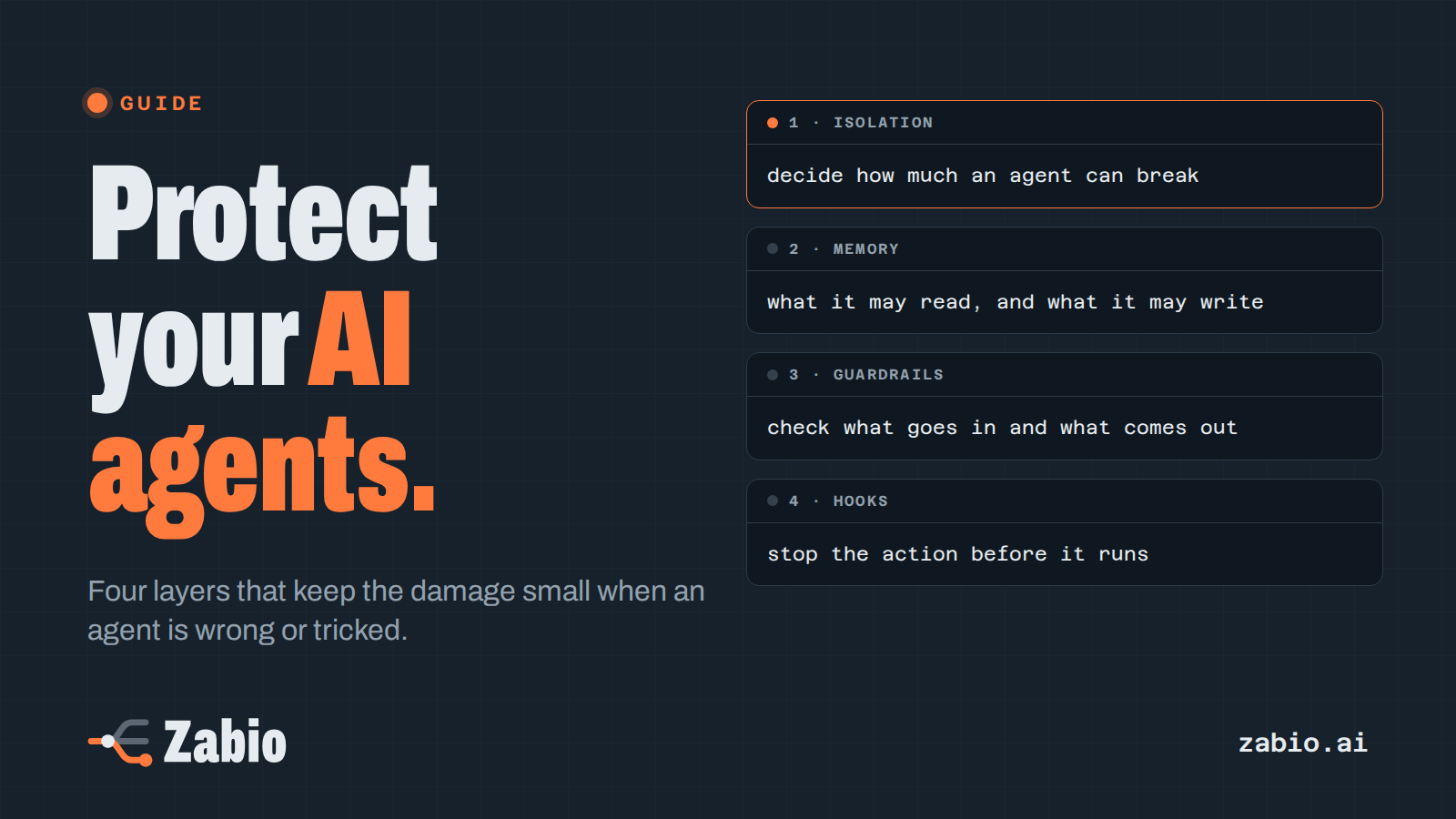
Four layers that keep an AI agent's damage small: isolation with containers, gVisor or microVMs, split memory, input and output guardrails, and hooks.
A chatbot that gets something wrong writes a bad paragraph. An agent that gets something wrong runs a command, sends an email, pays an invoice or deletes a branch. The more an agent can do, the more it matters what happens when it’s wrong, or when someone tricks it.
We run AI agents every day to build Zabio itself: coding agents that write, test and ship our code. What follows is what we’ve learned keeping them safe. None of it depends on which model you use. Assume the model will sometimes be wrong and sometimes be fooled, and build so that neither costs you much.
There are four layers. No single one is enough.
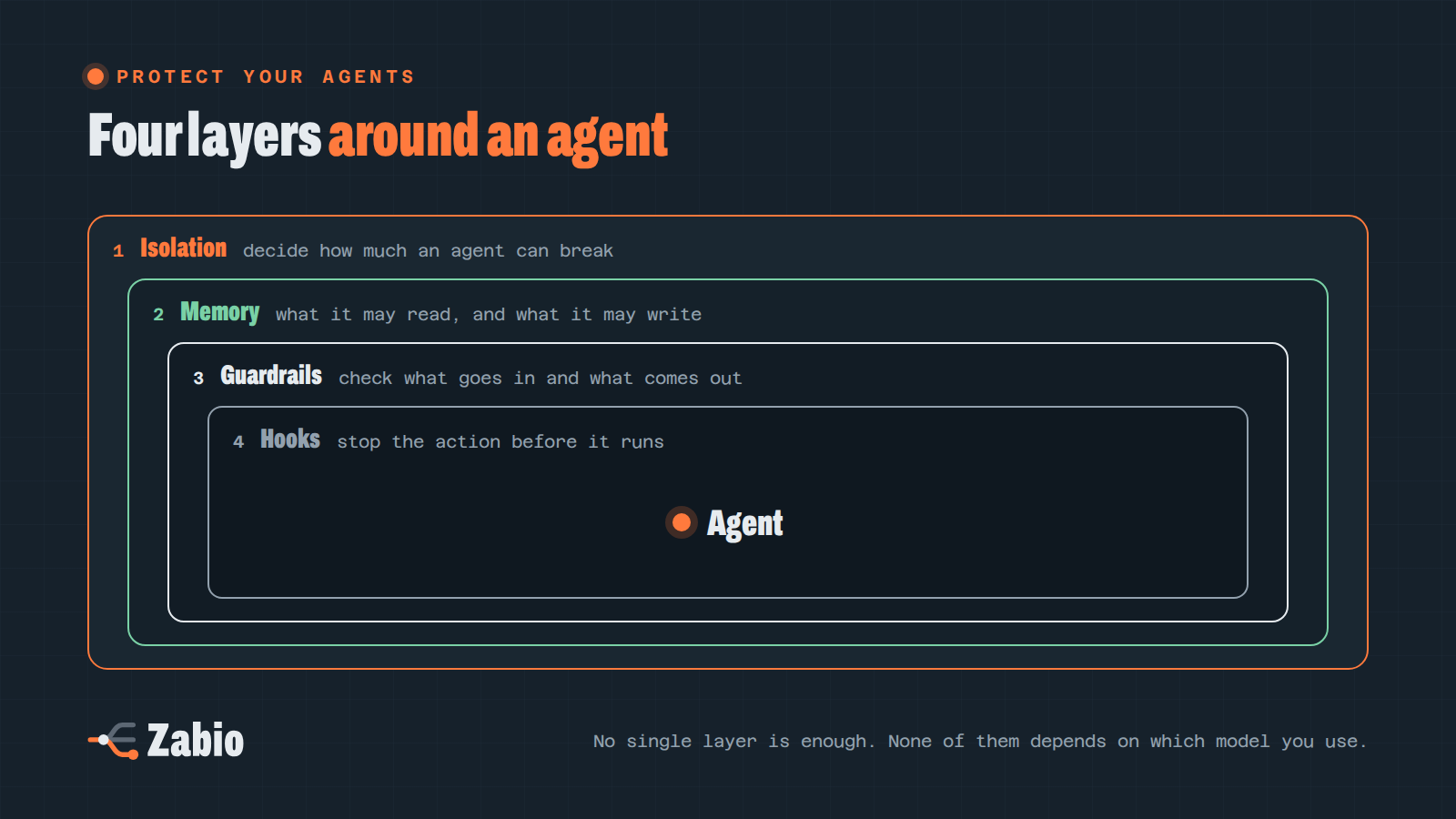
1. Isolation: decide how much an agent can break
Start with the question: if this agent did the worst thing it’s able to do, what would it reach? Isolation is how you make that answer small.
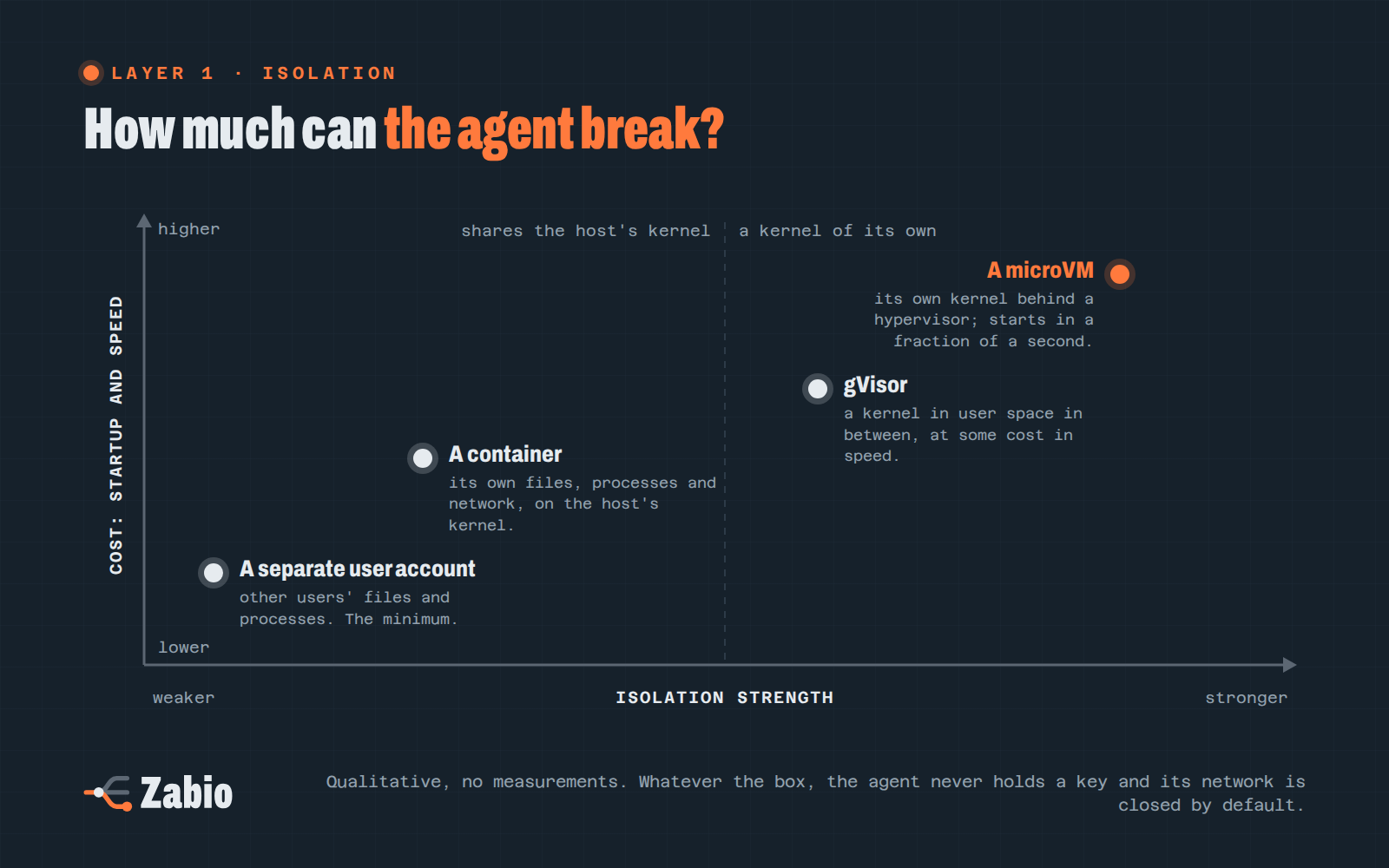
| Option | What it separates | Good for |
|---|---|---|
| A separate user account | files and processes of other users | the minimum: never run an agent as an administrator |
| A container | its own files, processes and network, but the host’s kernel | most agents, with care |
| gVisor | a container whose system calls go to a kernel written in user space, not the host’s | agents that run code you didn’t write |
| A microVM (Firecracker, Kata Containers) | a small virtual machine with its own kernel, started in a fraction of a second | untrusted code, one VM per task or per customer |
Containers share the host’s kernel, so a kernel bug is a way out. gVisor puts its own kernel in between, which closes most of that path at some cost in speed. A microVM gives each agent its own kernel behind a hypervisor: the strongest of the three, and with tools like Firecracker, cheap enough to start one per task.
Whatever you choose, three rules matter as much as the box:
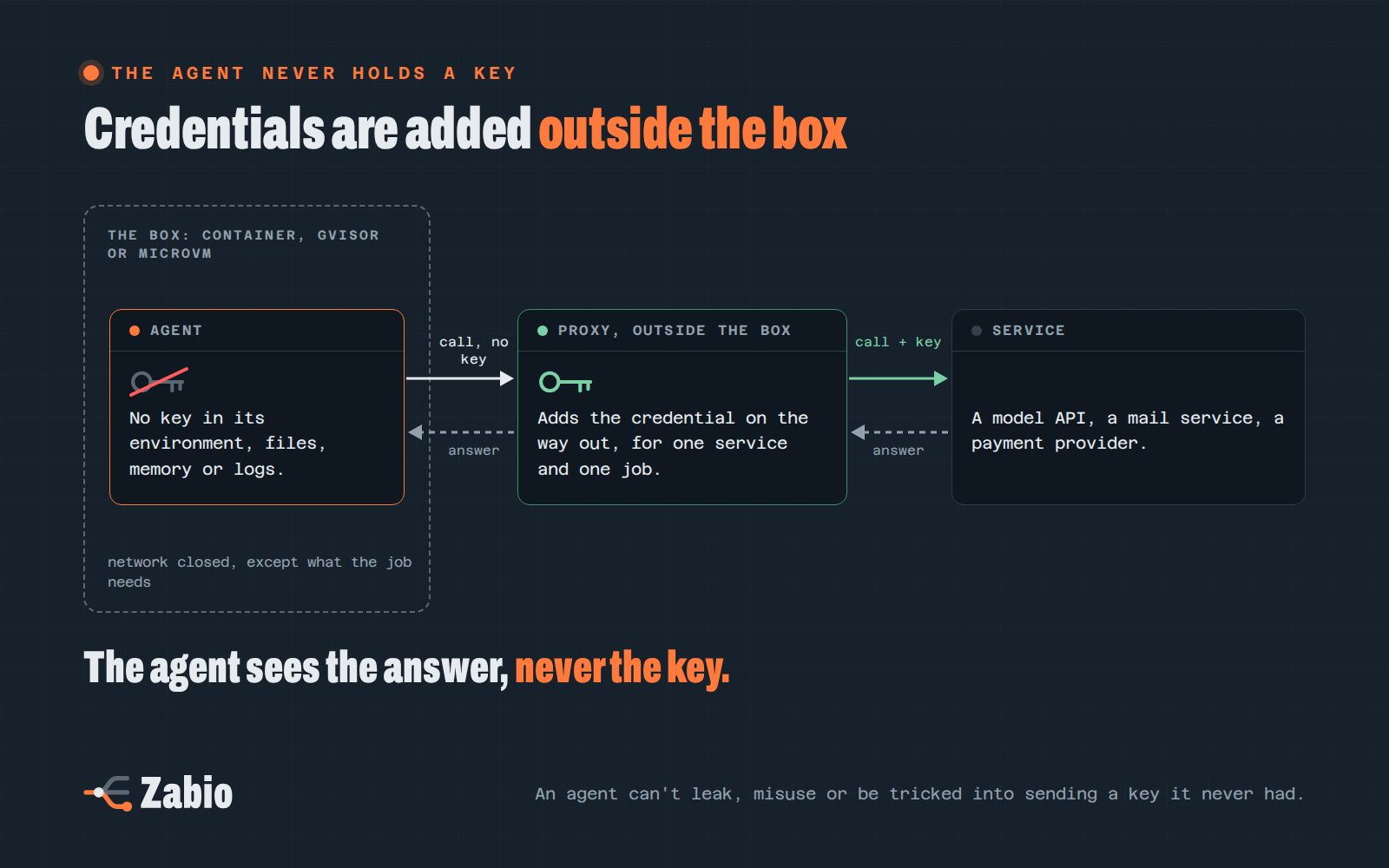
- The agent never holds a key. Not an API key, not a password, not a token, not a “temporary” one. An agent can’t leak, misuse or be tricked into sending a key it never had. When it has to call a service, the call goes through a proxy or broker outside the box that adds the credential on the way out, for that one service and that one job. The agent sees the answer, never the key. Keep secrets out of its environment variables, its files, its memory and its logs.
- The network is closed by default. Allow the few addresses the job needs. An agent that can reach any server can send your data to any server.
- Irreversible actions stay outside. Deploying, paying, deleting, sending to customers: let the agent prepare them, and let a person or a fixed script carry them out.
2. Memory: what the agent may read, and what it may write
Agents work better with memory: rules to follow, lessons from last time, notes on the project. Memory is also the quietest way to compromise an agent, because whatever lands in memory is believed next time. So split it in two.
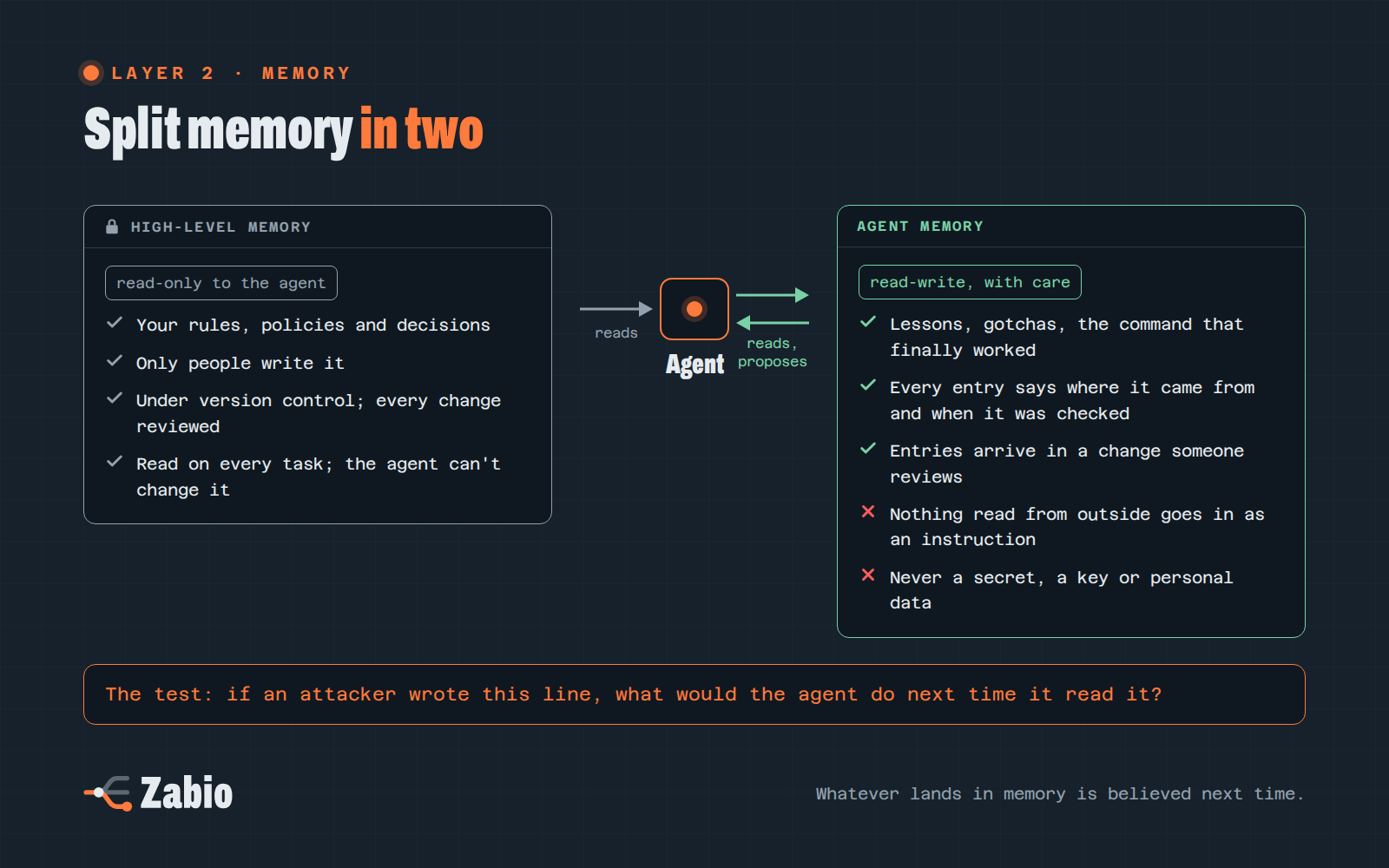
High-level memory is read-only to the agent. Your rules, policies and decisions: what it may never do, how you deploy, which numbers are final. Only people write it, it lives under version control, and every change is reviewed. The agent reads it on every task and can’t change it.
Agent memory is read-write, with care. Lessons, gotchas, the command that finally worked. The agent may propose entries, but:
- every entry says where it came from and when it was checked;
- entries arrive the way code does, in a change someone reviews;
- nothing read from outside (a web page, an email, a tool’s answer) goes into memory as an instruction. It’s data, at most a note about data;
- never a secret, a key or personal data.
The test for any memory entry: if an attacker wrote this line, what would the agent do next time it read it? If the answer is “something bad”, it belongs in the read-only half, or nowhere.
3. Guardrails: check what goes in and what comes out
What goes in. Treat every input as untrusted data: web pages, emails, files, tool results, another agent’s output, even text pasted into the chat. Only the person who gave the task gives instructions; everything else is information to read, never orders to follow. Most attacks on agents arrive exactly there, in content the agent reads rather than in what its user types: a page with a hidden order, an email that “asks” the assistant to forward the inbox, a PDF with white-on-white text. That’s prompt injection.
So run a prompt injection detector on every untrusted input before the model acts on it. Patterns catch the known phrasings. A model that reads the content next to the agent’s actual task catches the orders that sound harmless but don’t belong. If your agent uses MCP, this can be one tool call: Zabio’s AI Firewall is available as check_injection, and one line in the agent’s instructions makes it check every page, email or file before it acts.
What comes out. For answers that matter, have a second model review the result before it’s used. It catches the confident mistakes a single model makes.
Limits that don’t depend on the model’s judgment:
- a spend limit per key and per day, so a loop can’t run up a bill;
- scoped keys behind the proxy, so whatever acts for the agent can do its job and nothing else;
- a kill switch for every capability, that a person can flip at once.
4. Hooks: stop the action before it runs
A hook is a check that runs before every action the agent takes: every command, every file it writes, every tool it calls. Coding agents like Claude Code support them directly. A hook can refuse the action, and it logs it either way.
Four lessons from running ours:
- Match what runs, not the words. Our first hooks refused any command that mentioned a sensitive path, including a commit message that only talked about it. Agents lost hours to false alarms. A good hook reads what the command will actually do.
- Agents will route around a refusal. Not out of malice: they want to finish the task. Refused once, an agent may rewrite the same step in a form the hook doesn’t recognize. Make the rule explicit: a refusal stops that step, the agent reports it and asks, and never tries another spelling. Then check the log for it.
- Log every refusal and read the log. The refusals tell you where your rules are wrong and where an agent was about to do something it shouldn’t. Review them every week.
- A hook is a tripwire, not a wall. It reads text, and a determined process can build a command it won’t recognize. The wall is isolation: the separate user, the container, the VM. Use hooks to catch mistakes early and to learn, and isolation to cap the damage.
A checklist
- The agent runs as its own user, in a container, gVisor or a microVM, never as an administrator.
- It never holds a key or secret of any kind: credentials are added outside the box, by a proxy, for one service and one job.
- Its network is closed except for what the job needs.
- Irreversible actions need a person or a fixed script.
- Rules live in read-only memory, written by people and reviewed.
- Agent memory carries its source, is reviewed, and never holds instructions from outside.
- Every input is untrusted data: only the person who gave the task gives instructions.
- Every untrusted input goes through a prompt injection detector before the model acts on it.
- Important answers get a second review.
- Keys have spend limits and scopes, and every capability has a kill switch.
- Hooks refuse the wrong actions, log every refusal, and someone reads the log.
Where Zabio helps
Zabio covers the guardrails layer for any agent that calls models through it. The AI Firewall checks every request for prompt injection, free, and an optional model check reads tool results, images and PDFs against the agent’s task. The same check is available to Claude, Claude Code, Cursor and other apps as an MCP tool, check_injection. The final review has a second model check an answer before you get it. And every Zabio key can have spend limits and scopes. Keep that key in the proxy your agents call through, never inside the agent.
Isolation and memory are yours to set up, wherever your agents run. The checklist above is a good place to start.
Build your prototype free
Change two lines in your code, send model auto, and see what every call cost and what you saved.